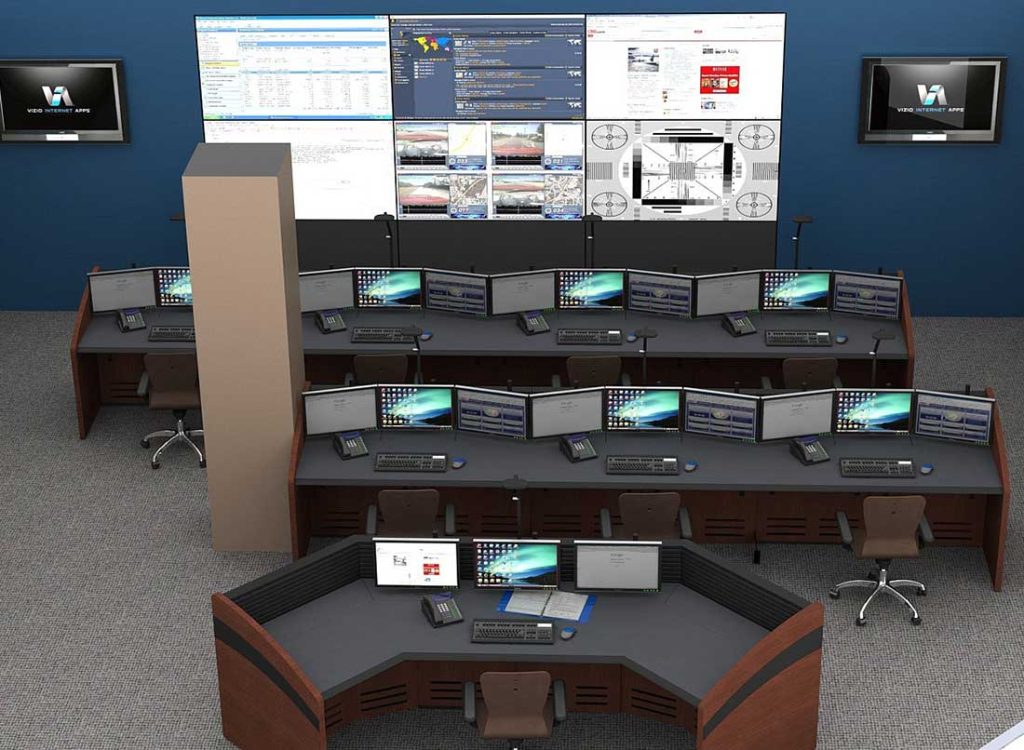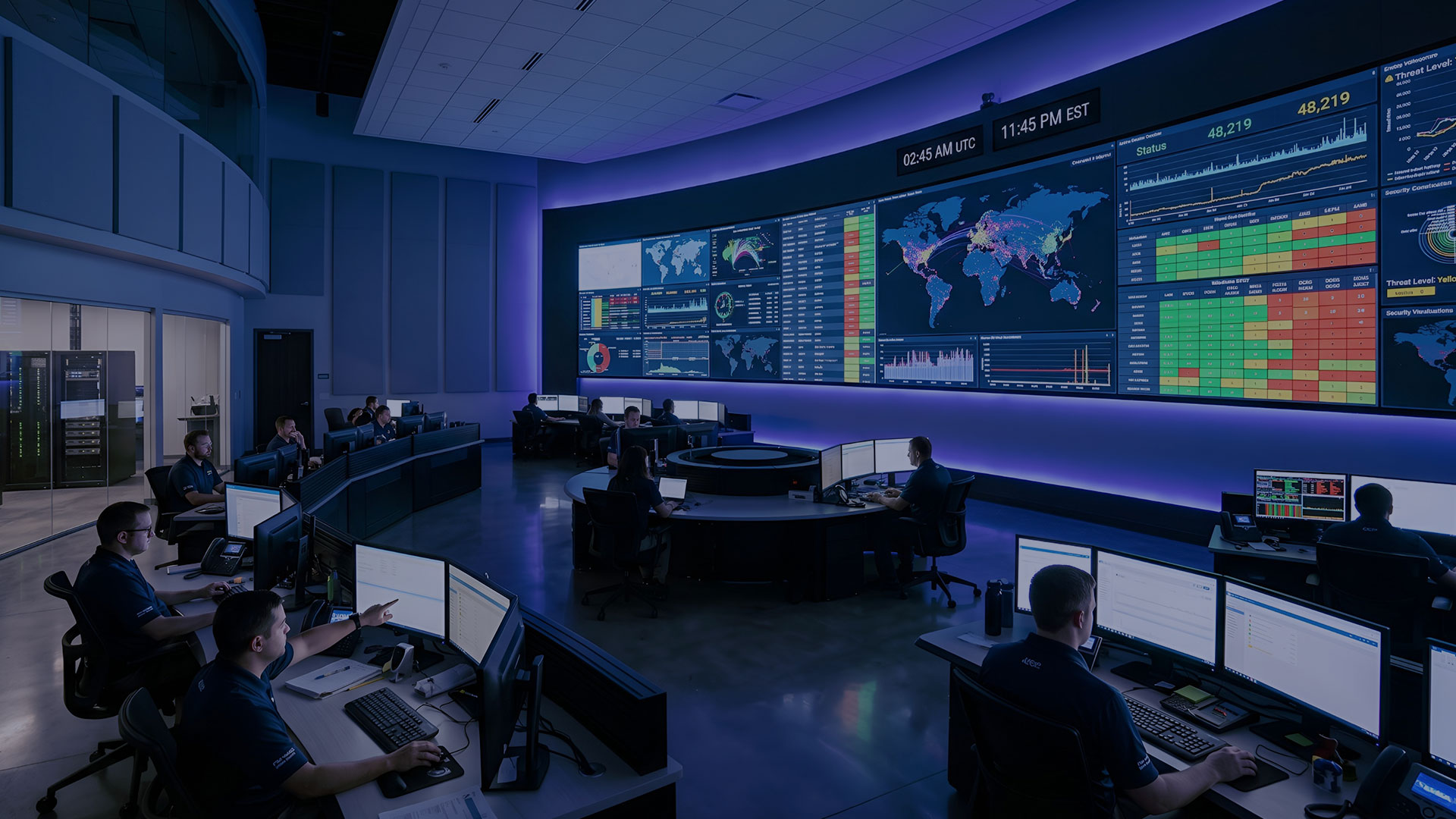
Network Operations Center (NOC) Furniture & Consoles
Network operations centers depend on operators who monitor infrastructure, respond to incidents, troubleshoot network conditions, and maintain visibility across critical systems around the clock. The furniture supporting those teams needs to be designed for the same continuous-use environment.
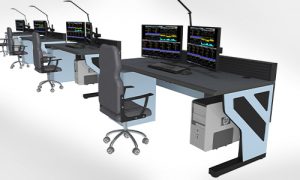
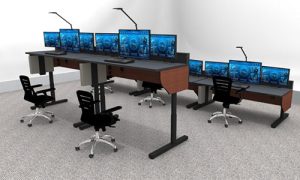
Command Watch designs and manufactures modular NOC furniture and network operations center consoles for 24/7 monitoring environments.
Our workstation systems support multi-monitor configurations, integrated power and cable management, equipment access, ergonomic operator positioning, and layouts that can adapt as technology and staffing requirements change.
For organizations building or modernizing a broader mission-critical environment, Command Watch also provides purpose-built control room consoles and control room furniture for command centers, emergency operations centers, technical operations facilities, and other continuous-monitoring applications.
What Is NOC Furniture?
NOC furniture is specialized workstation furniture designed for the operational requirements of a Network Operations Center. Unlike conventional office desks, NOC consoles must accommodate the technology, displays, cabling, equipment, and extended operator use associated with continuous network monitoring.
A properly configured NOC workstation may need to support:
- Multiple operator displays
- Monitor arms and mounting systems
- Computers and network equipment
- Power and data connections
- Structured cable routing
- Shared video walls and large displays
- 24/7 operator seating
- Supervisor positions
- Collaborative workflows
- Future technology changes
NOC console furniture should therefore be planned as part of the operational infrastructure of the room—not simply selected as office furniture after the technology has already been specified.

NOC Furniture Designed for 24/7 Network Operations
Modern NOCs may monitor enterprise networks, cloud infrastructure, telecommunications systems, cybersecurity events, service availability, data center operations, application performance, or other business-critical systems.
While the technology varies, the physical requirements often have several things in common.
Multi-Monitor Workstations
Network operators frequently work across multiple dashboards, monitoring applications, ticketing systems, communications tools, and diagnostic interfaces.
The console must provide enough work surface and mounting flexibility to position these displays without unnecessarily restricting operator sightlines or creating excessive viewing distances.
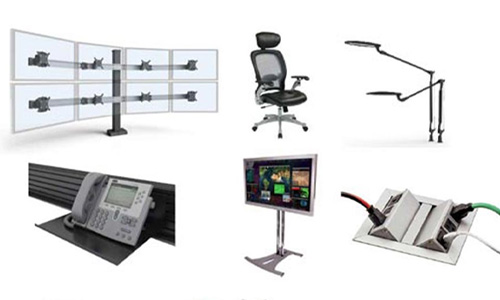
Command Watch offers configurable monitor arms and mounting solutions that can support a range of NOC display configurations.
Integrated Cable Management
Equipment and Power Integration
NOC furniture may need to accommodate computers, small-form-factor systems, peripherals, communications devices, power distribution, and other equipment at or near each operator position.
The furniture layout should be developed around the actual technology requirements rather than attempting to fit equipment into the console after the workstation arrangement has already been finalized.
Ergonomics for Long-Duration Monitoring
NOCs may operate continuously with multiple shifts using the same operator positions.
Monitor height, viewing distance, work-surface depth, keyboard position, seating, reach distances, lighting, and workstation adjustability can all affect operator comfort during long periods of monitoring.
For teams that want additional movement throughout the workday, adjustable-height consoles can allow operators to alternate between seated and standing positions.
Command Watch NOC Console Options
Command Watch offers three primary workstation configurations for network operations centers. The right solution depends on equipment requirements, room layout, aesthetics, ergonomics, and project budget.

Command Watch Premium Console
The Command Watch Console is our flagship fully enclosed workstation system.
Its modular design is well suited for NOCs that need a refined professional appearance together with integrated equipment storage, cable management, power distribution, and multiple display configurations.
The enclosed architecture can be particularly useful in high-visibility network operations environments where equipment organization and finished appearance are important.
Best suited for:
- Enterprise NOCs
- High-visibility command environments
- Large multi-operator facilities
- Facilities requiring enclosed equipment storage
- NOCs hosting customers, executives, or other stakeholders

Command Flex Console
The Command Flex Console provides a more economical open-frame workstation for organizations that still require a durable, modular NOC platform.
Its open architecture provides convenient equipment access while integrated power, cable routing, and slatwall mounting support the technology requirements of a network monitoring workstation.
Command Flex can be especially useful for NOCs that experience frequent technology changes or need to maximize workstation capacity within a defined furniture budget.
Best suited for:
- Network monitoring centers
- Data center operations
- Technical operations centers
- Rapidly changing technology environments
- Budget-conscious NOC projects

Command Flex Sit-Stand Console
The Command Flex Sit-Stand Console adds electronically adjustable workstation height to the Command Flex platform.
Sit-stand capability can be particularly valuable in 24/7 environments where different operators share the same workstation across multiple shifts.
Operators can adjust the worksurface to their preferred position and alternate between seated and standing work during long periods of monitoring.
Best suited for:
- 24/7 NOCs
- Multi-shift operations
- Ergonomically focused facilities
- Supervisor positions
- Organizations prioritizing workstation adjustability
Comparing NOC Console Options
| Console | Configuration | Primary Advantage | Good Fit For |
| Command Watch | Premium enclosed, fixed-height | Equipment organization and refined appearance | Enterprise and high-visibility NOCs |
| Command Flex | Open-frame, fixed-height | Flexibility and cost efficiency | Technical and budget-conscious NOCs |
| Command Flex Sit-Stand | Open-frame, adjustable-height | Operator adjustability | 24/7 and multi-shift NOCs |
Planning a Network Operations Center Layout
- Number of current operators
- Expected future staffing
- Operator and supervisor roles
- Number and size of displays per position
- Shared video wall locations
- Viewing distances and sightlines
- Computer and equipment requirements
- Power and network infrastructure
- Cable entry points
- Circulation paths
- Collaboration requirements
- Accessibility
- Lighting
- Acoustics
- Expansion requirements
Command Watch provides control room design services for organizations developing new NOCs or reconfiguring existing operations spaces.

NOC Video Walls and Shared Displays
Many network operations centers combine individual operator displays with a shared video wall displaying network health, cybersecurity information, incident status, dashboards, maps, system alerts, or other organization-wide information.
Console placement and video wall design should therefore be considered together.
Operator positions should provide appropriate viewing relationships to both local monitors and shared displays without forcing excessive head or neck movement.
Command Watch provides AV wall design services for NOCs and other critical monitoring environments, including planning for display configuration, viewing distance, content, integration, installation, and system requirements.
Designing NOC Furniture Around Technology Change
- Add or reposition monitors
- Reroute cabling
- Replace computers and equipment
- Reconfigure operator positions
- Add accessories
- Expand workstation groups
- Modify layouts as staffing changes
Ready to Design Your Solution?
Our team can develop a complete control room solution based on your specific industry needs.
New NOC Build vs. Existing NOC Upgrade
Command Watch can support both new network operations centers and modernization projects.
New NOC Projects
New facilities provide the opportunity to coordinate furniture with:
- Electrical infrastructure
- Network cabling
- Flooring
- HVAC
- Lighting
- Video walls
- Room dimensions
- Equipment placement
Bringing console planning into the project early helps reduce conflicts between the furniture and supporting infrastructure.
Existing NOC Modernization
Retrofit projects require additional consideration because existing power, data, room dimensions, pathways, doors, columns, displays, and operational constraints may limit possible layouts.
Many NOCs also need to remain operational during a furniture replacement project, making installation sequencing and migration planning important.
If your current workstations are reaching the end of their useful life, our guide to signs your control room furniture needs an upgrade provides additional considerations.

What Should You Know Before Requesting an NOC Furniture Quote?
The more information available at the beginning of the project, the more accurately a console solution can be configured.
Before requesting a proposal, gather:
- Room dimensions or floor plan
- Number of operator positions
- Number of supervisor positions
- Monitor quantity and sizes
- Computer and equipment requirements
- Desired fixed-height or sit-stand configuration
- Video wall requirements
- Power and data information
- Required accessories
- Finish or color preferences
- Installation location
- Target project schedule
- Expected future expansion
Command Watch can use this information to develop workstation configurations and layouts around the operational requirements of the NOC.

Choosing the Right NOC Furniture System
The best NOC workstation is not necessarily the most expensive console or the one with the largest number of features.
It is the system that fits the actual operational requirements of the room.
When comparing NOC furniture, consider:
- Structural durability
- Workstation modularity
- Monitor capacity
- Cable management
- Equipment accessibility
- Power integration
- Operator ergonomics
- Sit-stand requirements
- Available accessories
- Ability to reconfigure
- Installation support
- Manufacturer support
- Long-term expansion
For a deeper evaluation of console construction, configuration, ergonomics, technology integration, and purchasing considerations, see the Control Room Furniture Buyer’s Guide.
Plan Your Network Operations Center
Whether you are building a new NOC, expanding an existing facility, or replacing outdated operator workstations, Command Watch can help develop a console configuration around your room, technology, workflow, and budget.
Our team can assist with workstation selection, room layout, display integration, cable and equipment planning, accessories, drawings, and installation coordination.
Frequently Asked Questions About NOC Furniture
What is NOC furniture?
NOC furniture is specialized workstation furniture designed for Network Operations Centers where operators monitor networks, infrastructure, applications, cybersecurity systems, and other critical technology. NOC consoles typically support multiple displays, integrated power and cable management, equipment mounting, ergonomic positioning, and continuous 24/7 use.
How is NOC furniture different from standard office desks?
Standard office desks are generally not designed around dense multi-monitor configurations, structured cable management, continuous multi-shift use, integrated technology, or future equipment changes. Purpose-built NOC consoles are engineered around these operational requirements.
What type of console is best for a Network Operations Center?
The best configuration depends on the room, technology, equipment, operators, and budget. Enclosed consoles offer integrated equipment organization and a refined appearance, while open-frame consoles provide easy equipment access and greater cost efficiency. Sit-stand models add height adjustability for multi-shift environments.
Should NOC furniture support multiple monitors?
Most NOC environments require multiple displays at operator positions. The console and monitor-mounting system should be selected based on the actual number, size, weight, and arrangement of displays required for each operator role.
Can NOC consoles be customized?
Yes. Modular console systems can be configured around room dimensions, operator positions, monitor requirements, equipment, cable routing, accessories, workstation shapes, finishes, and other project-specific requirements.
Can Command Watch help design the NOC layout?
Yes. Command Watch provides control room and NOC design support for both new construction and retrofit projects. Layout planning can incorporate operator positions, technology, sightlines, video walls, circulation, equipment, infrastructure, and future expansion requirements.