How Control Room Furniture Enhances University Simulation Labs
Jump to a Section
Your complete guide to creating authentic, high-performance training environments that prepare students for real-world careers through experiential learning in professional-grade simulation facilities.
TL;DR – Quick Takeaways
University simulation labs represent a transformative approach to experiential education, bridging the gap between classroom theory and professional practice across disciplines ranging from cybersecurity and emergency management to aviation, nursing, and engineering. The effectiveness of these training environments depends not just on software and curriculum but fundamentally on the physical workspace where students develop critical skills. High-quality control room console furniture creates the realistic, ergonomic, and adaptable foundation that enables authentic learning experiences.
Modern simulation labs face unique challenges: supporting multiple academic programs with different requirements, accommodating hundreds of students annually while maintaining equipment durability, providing professional-grade environments within educational budgets, and adapting quickly to evolving technology and pedagogical approaches. The right console furniture addresses these challenges through modular designs supporting rapid reconfiguration, ergonomic features enabling extended training sessions, robust construction withstanding intensive student use, and professional aesthetics that reinforce career preparation.
Institutions investing in simulation lab development should prioritize furniture systems offering multi-monitor support for realistic operator environments, flexible layouts accommodating diverse program needs, integrated cable management and equipment housing, sit-stand capability for student comfort during extended exercises, and modular architecture allowing cost-effective expansion and modification. These investments directly impact learning outcomes, student engagement, graduate career readiness, and the institution’s ability to attract students seeking hands-on preparation for competitive professional fields.
The Growing Role of Simulation Labs in Higher Education
Traditional classroom instruction, while valuable for conveying theoretical knowledge and fundamental concepts, often leaves gaps in students’ ability to apply learning under pressure, coordinate with teams during dynamic situations, or develop the intuitive decision-making that comes only through experience. University simulation labs address these gaps by creating controlled environments where students can practice complex skills, make mistakes safely, and develop professional competencies before entering high-stakes careers.
The expansion of simulation-based learning reflects both pedagogical evolution and industry demand. Employers across sectors increasingly seek graduates with demonstrable hands-on experience, not just academic credentials. Students who have operated in realistic control room environments, managed simulated emergencies, or coordinated team responses to evolving scenarios enter the workforce with confidence and competence that distinguishes them from peers with purely theoretical preparation.
Why Physical Environment Matters in Simulation Training
Software platforms can simulate data streams, create realistic scenarios, and track student performance with impressive fidelity. However, the physical workspace where students interact with these systems profoundly impacts the authenticity and effectiveness of the learning experience. Console furniture that looks and functions like professional control room equipment reinforces the simulation’s psychological reality, encouraging students to engage seriously with exercises and develop habits that transfer directly to career environments.
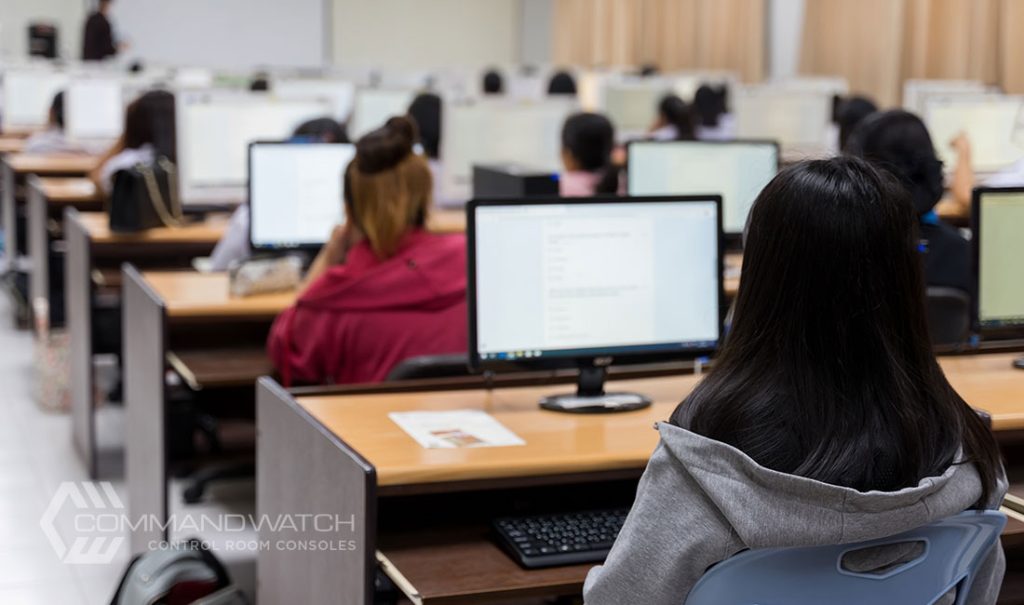
Consider the difference between students hunched over standard classroom desks with laptops versus operators positioned at professional consoles with multi-monitor arrays, proper ergonomics, and realistic equipment integration. The latter configuration doesn’t just look more professional—it fundamentally changes how students approach their work, how seriously they take simulated scenarios, and how effectively they develop the spatial awareness, workflow habits, and team coordination skills that define professional competence.
Expert Advice: When planning simulation lab investments, resist the temptation to compromise on console furniture quality to preserve budget for software or display technology. The physical workspace has an equal impact on learning outcomes, and quality console furniture typically lasts 15+ years while software requires constant updates. Proper furniture provides lasting value across hundreds of student cohorts.
Creating Authentic Career-Preparation Environments
The primary goal of simulation labs extends beyond teaching specific skills to preparing students, both psychologically and practically, for professional work environments. This preparation requires more than functional equipment—it demands spaces that replicate the look, feel, and operational flow of real control rooms, operations centers, and coordination facilities.
Replicating Professional Control Room Standards
Students entering careers in emergency management, cybersecurity operations, air traffic control, power grid management, or similar fields will work in highly standardized environments with specific equipment layouts, monitor configurations, and workflow patterns. Simulation labs using consumer-grade furniture or improvised equipment arrangements fail to prepare students for these professional norms, creating adjustment challenges during internships and early career phases.
Professional control room console systems provide the authentic foundation students need:
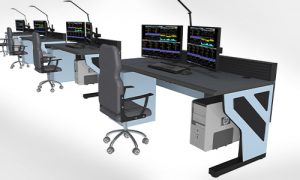
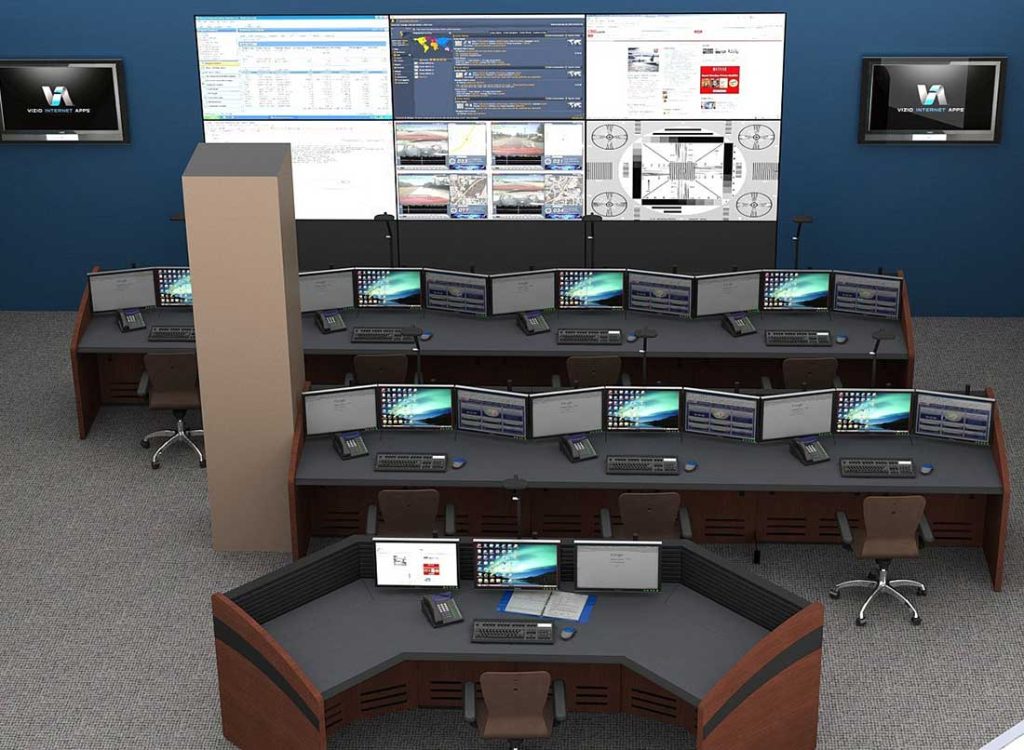
Multi-monitor layouts supporting 3-6 displays per operator position allow students to develop the screen management skills, spatial memory for information locations, and multi-tasking capabilities required in modern operations centers where single-monitor workflows are obsolete.
Realistic equipment integration, with proper cable management, equipment housing, and power distribution, teaches students to work within the constraints and capabilities of professional infrastructure rather than ad hoc consumer setups.
Professional aesthetics and build quality signal to students that they’re engaged in serious career preparation, not just academic exercises, encouraging more professional behavior and engagement during training.
Standardized layouts and configurations expose students to the workspace conventions they’ll encounter across employers, reducing adjustment friction and accelerating onboarding when they enter the workforce.
The Psychology of Realistic Training Environments
Research on experiential learning consistently demonstrates that fidelity of the training environment directly impacts skill transfer to real-world contexts. Students who train in spaces that look, sound, and feel like professional environments develop more robust mental models, stronger procedural memory, and better stress management during actual operations than students trained in obviously artificial or classroom-like settings.
This psychological impact manifests in multiple ways. Students naturally adopt more professional communication patterns when seated at realistic console workstations. They develop better posture and ergonomic habits when furniture provides proper adjustments. They take simulated scenarios more seriously when the physical environment mirrors professional operations centers. These behavioral shifts aren’t superficial—they represent the development of professional identity and operational habits that persist throughout careers.
Pro Tip: Enhance simulation realism by implementing the same workspace protocols used in professional facilities: assigned operator positions with name placards, shift change procedures, equipment sign-out logs, and workspace cleanliness standards. These operational details, supported by professional console furniture, reinforce career preparation beyond purely technical skills.
Supporting Multi-Disciplinary Academic Programs
One of the greatest challenges facing university simulation labs involves serving diverse academic programs with fundamentally different requirements. An emergency management exercise requires different display configurations, equipment setups, and operator arrangements than a cybersecurity red team simulation or an aviation coordination exercise. Traditional dedicated facilities force difficult choices between program-specific optimization and cross-departmental accessibility.
The Economic Imperative of Shared Facilities
Budget realities at most institutions prevent the creation of separate simulation labs for each academic program. Even well-funded universities find that consolidating multiple programs into shared facilities improves equipment utilization, reduces facilities management overhead, and creates opportunities for valuable cross-disciplinary collaboration that mirrors real-world operations, where multiple specialties coordinate responses.
However, sharing facilities only works when the physical infrastructure can adapt efficiently to different program needs without extensive downtime or costly modifications. Fixed furniture installations optimized for one program create significant obstacles when other departments need to use the space, leading to scheduling conflicts, compromised training quality, or underutilized expensive facilities.
Modular Console Architecture Enabling Program Flexibility
Modern modular console systems solve this challenge through adaptable designs supporting rapid reconfiguration:
Flexible layout configurations allow the same console components to be arranged in linear rows for individual operator training, curved clusters for team coordination exercises, or specialized configurations tailored to specific operational environments, such as network or emergency operations centers.
Adjustable equipment mounting accommodates different monitor quantities, sizes, and orientations as programs swap between geospatial displays, network monitoring dashboards, medical telemetry systems, or engineering control interfaces.
Quick-change connections for power, data, and display signals enable equipment swaps between programs without extensive cable reconfiguration or technical complexity requiring specialized staff.
Scalable footprint allows lab space to expand or contract operator positions based on class size, with extra console modules stored and deployed only when needed rather than consuming floor space continuously.
This adaptability transforms simulation labs from single-purpose facilities into true multi-disciplinary resources serving:
Cybersecurity and Network Operations – programs requiring multiple displays showing network traffic, security dashboards, threat intelligence feeds, and incident management tools, with emphasis on rapid information synthesis and team coordination
Emergency Management and Public Safety – training focused on geospatial awareness, resource coordination, communication management, and multi-agency collaboration during evolving crisis scenarios
Engineering and Systems Monitoring – programs emphasizing process control, equipment telemetry, system diagnostics, and maintenance coordination in complex technical environments
Aviation and Unmanned Systems Operations – training in air traffic coordination, flight following, drone operations management, and mission coordination with emphasis on airspace awareness
Healthcare Simulation – emergency department coordination, hospital operations management, disaster response medical coordination, and telehealth operations requiring patient data display and team communication
Business Continuity and Crisis Management – corporate emergency response, supply chain disruption management, and stakeholder communication during crisis events
Pro Tip: Create program-specific equipment kits containing unique monitors, computers, or specialty devices that connect quickly to shared console infrastructure. This approach allows each academic department to maintain its specialized equipment while leveraging common console furniture, dramatically reducing per-program costs while maintaining training fidelity.
Enhancing Student Comfort and Engagement During Extended Training
Unlike typical classroom sessions lasting 50-90 minutes, effective simulation exercises often run for extended periods to create realistic operational contexts. Students participating in 4-6 hour emergency management scenarios, 8-hour cybersecurity defense exercises, or full-shift aviation coordination simulations experience the same physical challenges that affect professional operators: fatigue accumulation, postural stress, eye strain, and declining alertness as exercises progress.
The Impact of Ergonomics on Learning Outcomes
Educational research demonstrates clear correlations between physical comfort and cognitive performance. Students experiencing neck strain from poorly positioned monitors, back pain from inadequate seating support, or eye fatigue from screen glare show measurable reductions in information retention, slower problem-solving, and decreased engagement compared to students working in ergonomically optimized environments.
In simulation labs, these ergonomic factors take on additional significance because part of the learning objective involves developing stamina and focus during extended operations. Students who can’t maintain comfortable positioning throughout exercises learn to work around discomfort rather than develop the sustained concentration habits required in professional settings.
Essential Ergonomic Features for Educational Simulation
Quality control room furniture designed for professional applications provides ergonomic capabilities directly benefiting student learning:
Adjustable monitor positioning allows students with different heights, visual acuity, and preferences to optimize screen placement, reducing neck and eye strain that builds up during multi-hour sessions and ensuring clear visibility of all displayed information, regardless of student body type.
Proper work surface sizing and height accommodate keyboards, mice, documentation, and note-taking materials without cramping or forcing awkward arm positions that strain the shoulders and wrists during extended data entry or system interaction.
Clear sightlines to shared displays ensure students can monitor video walls or presentation screens showing exercise status, instructor guidance, or team coordination information without twisting or craning their necks or leaving their assigned positions.
Organized equipment placement keeps computers, networking devices, and specialty hardware accessible for troubleshooting or reconfiguration without cluttering work surfaces or creating cable hazards that distract from learning objectives.
Integrated cable management prevents cable clutter that creates trip hazards, interferes with chair movement, and gives off an unprofessional appearance that undermines simulation authenticity.
Sit-Stand Functionality in Educational Environments
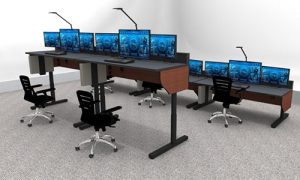
The introduction of electrically adjustable sit-stand console systems represents one of the most significant recent advances in simulation lab design. These consoles allow students to alternate between sitting and standing positions throughout exercises, providing benefits that extend beyond basic comfort:
Sustained alertness during afternoon or evening training sessions when energy levels naturally decline, with the physical movement of position changes providing renewed focus
Improved circulation reduces the leg fatigue and restlessness that develops during extended sitting, particularly important for students less accustomed to stationary work than professional operators
Better group visibility when students need to stand briefly to observe teammates, coordinate responses, or present findings to instructors without disrupting equipment or monitor positioning
Accommodation of diverse preferences, recognizing that individual students have different optimal working positions, with some maintaining better focus while standing and others preferring seated work
Professional skill development, exposing students to the ergonomic tools they’ll likely encounter in modern operations centers, building familiarity with height-adjustable workstations increasingly common across industries
Universities implementing sit-stand consoles report improved student engagement during long exercises, reduced complaints about physical discomfort, and stronger student feedback regarding lab quality compared to traditional fixed-height installations.
Improving Situational Awareness and Team Coordination
Simulation exercises derive much of their educational value from forcing students to maintain awareness of complex, evolving situations while coordinating responses with teammates—skills that distinguish effective operators from those who can only manage routine, static tasks. The physical layout of simulation lab furniture directly enables or constrains students’ ability to develop these critical competencies.
Designing for Collaborative Learning
Professional control rooms are fundamentally collaborative environments where individual operators maintain specialized responsibilities while contributing to unified mission objectives. Simulation labs preparing students for these environments must facilitate similar collaboration patterns by thoughtfully arranging consoles and positioning equipment.
Effective collaborative layouts incorporate several key principles:
Supervisor visibility positions instructor or designated student supervisor stations where they can observe multiple operator screens simultaneously without hovering directly behind students, allowing performance monitoring and situation assessment while maintaining appropriate instructor presence
Peer awareness arranges operator consoles so students can see teammates’ general status and activity through peripheral vision without turning away from their primary displays, enabling the background awareness that helps teams self-coordinate
Communication pathways maintain adequate spacing between console rows and provide clear sightlines between positions that need to coordinate directly, supporting both verbal communication and visual signaling during high-tempo exercise phases
Shared reference points orient all operator positions toward common video walls or large displays showing exercise-wide status, ensuring every student maintains awareness of overall situation evolution beyond their specific responsibilities
Flexible grouping allows console furniture to be arranged in clusters for team-based exercises or separated for individual assessment scenarios, supporting varied pedagogical approaches within the same physical space
Console Features Supporting Situational Awareness
Beyond overall layout, specific console design characteristics enhance students’ ability to maintain a broad awareness while managing detailed tasks:
Minimal visual barriers between operators through open-frame construction or low-profile equipment sections prevent the isolation that occurs when high console backs block sightlines, helping students remain aware of team activity
Strategic equipment placement positions computers, servers, and support equipment in locations that don’t obstruct views between operator positions or toward video walls, maintaining the visual connectivity essential for team coordination
Organized cable routing keeps all cabling concealed within console raceways rather than draped across walkways or between workstations, where it creates visual clutter and physical barriers to communication
Adequate lighting supported by console colors and finishes that don’t create excessive glare or reflection on screens, ensuring students can monitor displays effectively while maintaining awareness of lab-wide activity through peripheral vision
Acoustic consideration through console materials and arrangements that don’t excessively amplify or transmit sound, allowing students to communicate with immediate teammates without creating noise that disturbs other groups in shared facilities
Expert Advice: Conduct “red team” testing of console layouts before finalizing installations by having faculty members role-play student exercises, specifically evaluating whether the arrangement supports the communication patterns and awareness requirements of your most complex scenarios. Layout problems are much easier to fix before installation than after.
Accommodating Evolving Technology and Experimental Equipment
University simulation labs serve dual purposes: providing established training environments with proven equipment and methodologies, and supporting faculty research, curriculum development, and student projects that require flexibility to test new tools and approaches. This experimental dimension requires console furniture that accommodates change without expensive modifications or extended downtime.
Supporting Technology Evolution
The equipment used in simulation training evolves continuously as professional industries adopt new tools, displays, and systems. Consoles installed today must accommodate technology changes over their 15+ year service life without requiring complete replacement. Several design approaches support this long-term adaptability:
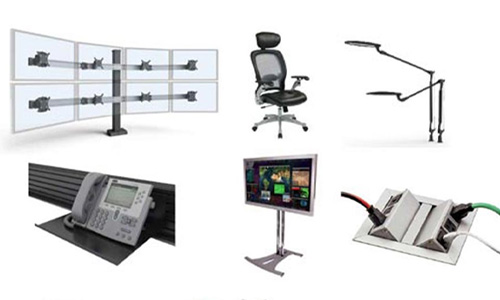
Versatile mounting infrastructure using slatwall systems, universal VESA mounting hardware, or adjustable equipment shelving allows displays ranging from 24″ to 50″ or more to be mounted, repositioned, or swapped as programs update their equipment or respond to industry-standard changes.
Generous equipment capacity in ventilated cavities, rack mount sections, or under-console storage accommodates the computers, networking gear, specialty devices, and emerging technologies that programs add over time without requiring console modifications or external equipment racks.
Flexible power and data distribution with more capacity than current needs, diverse connector types, and accessible routing pathways enable equipment additions and technology updates without running exposed cables or requiring console reconstruction to accommodate new infrastructure.
Modular architecture allowing individual console sections to be updated with new components, mounting systems, or feature packages as technology requirements change, avoiding full console replacement when only specific capabilities need enhancement.
Enabling Research and Curriculum Development
Faculty members developing new simulation exercises or researching training methodologies need the ability to reconfigure equipment, test alternative display arrangements, or integrate experimental devices without extensive facilities coordination or risk to existing lab functionality. Console designs incorporating quick-change mounting, accessible connections, and non-permanent configuration methods enable this agility:
Instructors can test whether new software works better on vertical or horizontal displays by repositioning monitors using tool-free adjustments rather than permanent mounting changes.
Research projects requiring specialty sensors, experimental interfaces, or prototype devices can integrate equipment temporarily using console mounting points and power access without modifying permanent infrastructure.
Curriculum updates incorporating new tools or equipment types can be tested in limited implementations before committing to lab-wide adoption, with successful experiments expanded and unsuccessful ones reversed with minimal effort.
Guest instructors, industry partners, or visiting researchers can bring their own equipment to workshops or training events, quickly connect to the console infrastructure, and restore the original configurations afterward.
Pro Tip: Maintain a “technology sandbox” with one or two fully equipped console workstations reserved for experimentation, testing, and development. This approach protects production training capacity while providing faculty and students with a safe environment for innovation without risking the established curriculum.
Building for Durability and Long-Term Value
University simulation labs exhibit usage patterns far more intensive than those of typical professional control rooms. Hundreds of students cycle through these facilities annually, each bringing different levels of equipment familiarity, varying degrees of care, and the learning curves inevitable in educational settings. Console furniture must withstand intensive use while maintaining functionality, appearance, and safety throughout its long service life.
Understanding Educational Wear Patterns
Professional control rooms typically have stable operator populations—perhaps 20-40 trained personnel who use equipment consistently and understand its care. University labs might serve 300-500 students per year, many encountering professional console furniture for the first time, all using equipment more casually than career operators who depend on it for their livelihood.
This usage pattern creates specific durability requirements:
Structural robustness supporting repeated adjustments, occasional impacts from bags or equipment, student weight leaning on surfaces, and the general handling that occurs in educational environments, without developing wobbles, looseness, or mechanical failure
Surface durability resisting scratches from keys, phones, and laptops being moved across work surfaces, stains from spilled drinks, marking from pens and highlighters, and the general wear from thousands of hours of student contact
Hardware reliability is maintained through adjustment mechanisms, monitor mounts, access panels, and connection points, through hundreds of configuration changes per semester, rather than the occasional adjustments occurring in professional settings
Cleanability allowing frequent sanitation between student groups and easy removal of accumulated dust, fingerprints, and residue without requiring specialized cleaning products or risking damage to finishes
Component availability ensures damaged or worn parts can be replaced from standard inventory rather than requiring custom fabrication, allowing quick repairs that minimize downtime during academic terms
Material Selection for Institutional Use
Quality control room console furniture designed for professional applications typically provides the durability universities need, but specific material choices matter:
Heavy-gauge steel construction in frames and structural elements provides the rigidity and impact resistance educational settings require, far exceeding the strength of residential or light commercial furniture that might seem adequate initially, but deteriorates quickly under student use
High-pressure laminate work surfaces offer excellent resistance to scratching, staining, and wear while providing easy cleaning and a professional appearance, outperforming paint, vinyl, or unfinished materials common in budget furniture
Powder-coated finishes on metal components resist chipping and corrosion better than paint while providing durable, professional aesthetics that maintain appearance despite intensive handling
Commercial-grade hardware, including heavy-duty monitor arms, adjustment mechanisms, and connection components designed for thousands of cycles rather than occasional use, preventing the premature failures common with residential-grade components
Modular construction allows damaged sections to be replaced individually rather than requiring complete console replacement, dramatically reducing the total cost of maintaining labs through their full service life
Strategic Console Selection for University Applications
Different academic programs and institutional priorities require different approaches to console selection. Understanding available options and matching capabilities to specific requirements ensures both effective learning environments and efficient budget utilization.
Assessing Program Requirements and Priorities
Before evaluating specific console products, institutions should clarify priorities across several dimensions:
Aesthetic requirements: Will the lab host donor tours, prospective student visits, or external training that requires a premium appearance? Or does functionality take absolute priority over visual polish?
Reconfiguration frequency: Will the lab support multiple programs that require frequent layout changes? Or primarily serve a single department with stable configurations?
Budget parameters – What’s the available budget per operator position? Are there opportunities for phased implementation across multiple budget years?
Space constraints – How many operator positions must fit in the available space? Are there architectural features or clearance requirements affecting layout?
Technology density – How much equipment must each position support? Are there specialty devices requiring custom integration?
Operator count and sizing – What’s the range of student body types using the lab? Are there accessibility requirements beyond standard adjustments?
These questions guide selection toward appropriate console lines and configuration approaches that balance competing priorities effectively.
Console Options for Different Educational Contexts
The professional control room furniture market offers several distinct product categories, each optimizing for different priorities:
Premium Enclosed Consoles
Fully enclosed console systems provide the highest level of equipment protection, acoustic isolation, and aesthetic finish. These consoles feature complete enclosures around equipment cavities, premium materials throughout, and extensive customization options for colors, finishes, and configurations.
Universities select premium consoles for:
- High-profile simulation labs supporting fundraising or recruitment initiatives where appearance materially impacts institutional reputation
- Programs hosting external training, continuing education, or industry partnerships where professional presentation creates revenue opportunities
- Facilities serving as showcases for university technology investment or innovation programs
- Situations where acoustic isolation between operator positions significantly improves training effectiveness
- Long-term installations in permanent facilities where the premium cost amortizes over 15-20 year service lives
Open-Frame Modular Consoles
Open-frame console designs prioritize ergonomics, equipment access, and cost efficiency over full enclosure. These systems provide excellent functionality through robust construction and thoughtful design while avoiding the aesthetic refinement and full enclosure of premium lines.
Open-frame consoles suit programs prioritizing:
- Maximum operator position count within fixed budgets through lower per-workstation costs
- Rapid equipment access supporting frequent technology changes or student hands-on hardware interaction
- Flexible reconfiguration needs where quick layout changes matter more than premium appearance
- Programs emphasizing technical functionality and hands-on learning over simulation realism
- Facilities with separate equipment rooms where computers and servers don’t require console-integrated housing
Sit-Stand Capable Console Systems
Adding electric height adjustment to either enclosed or open-frame base designs creates sit-stand console variants supporting position changes throughout training sessions. This capability provides particular value in educational contexts:
- Programs with extended simulation exercises lasting 4+ hours, where student fatigue becomes a training impediment
- Facilities emphasizing student wellness and ergonomic education as explicit program outcomes
- Institutions market state-of-the-art training facilities to prospective students or training clients
- Universal design implementations ensure that students with disabilities or physical limitations can participate fully
- Programs teaching professional practices in industries where sit-stand furniture has become standard
Making Cost-Effective Decisions
University budget constraints often force difficult choices between capability and affordability. Several strategies help maximize value:
Phased implementation deploys the minimum viable configuration initially, adding operator positions or capability enhancements as budget becomes available in subsequent years, rather than compromising entire installations
Tiered deployment uses premium consoles for high-visibility or instructor positions while deploying open-frame systems for general student workstations, optimizing budget allocation based on usage priorities
Shared equipment pools invest in quality displays, computers, and specialty devices that move between console furniture as programs rotate through facilities, separating console infrastructure (long-lived, program-agnostic) from technology equipment (shorter lifecycle, program-specific)
Focus on fundamentals prioritizes excellent ergonomics, solid construction, and comprehensive cable management over aesthetic refinement or premium materials when budgets force choices, ensuring core functionality that impacts learning outcomes receives proper investment
Long-term perspective evaluates total cost of ownership, including durability, maintenance requirements, and adaptation costs, rather than simply comparing initial purchase prices, recognizing that quality furniture lasting 15 years costs less per year than cheap furniture requiring replacement at year 7
Integrating Console Furniture Into Comprehensive Lab Design
Console furniture, regardless of quality, functions within broader facility design, including space planning, display technology, lighting, acoustics, and environmental systems. Successful simulation lab implementation requires coordinating all these elements into cohesive environments supporting educational objectives.
Space Planning and Layout Development
Begin lab design by understanding workflow patterns, team structures, and operational scenarios your programs will conduct. Professional control room design services can help institutions develop effective layouts that:
- Optimize floor space utilization while maintaining adequate circulation for instructors, students, and equipment movement
- Position operator consoles for proper sightlines to video walls, presentation areas, and instructor stations
- Create acoustic zones separating quiet individual work areas from collaborative team spaces
- Accommodate technology infrastructure, including cable pathways, equipment rooms, and maintenance access
- Plan for future expansion without requiring a complete redesign or expensive facility modifications
Expert Advice: Create full-scale mockups using temporary materials or rented furniture before finalizing console purchases. Have faculty and students conduct abbreviated exercises in the mockup space to gather feedback on sightlines, spacing, communication patterns, and equipment access. The modest investment in mockup testing prevents expensive mistakes and builds stakeholder confidence in final designs.
Technology Integration Planning
Console furniture provides the platform, but learning outcomes depend on the integrated technology:
Display strategy balancing personal monitors (typically 2-4 per position) with shared video walls (70-110″ displays or projection systems) showing exercise-wide information, instructor presentations, or team coordination data
Computing architecture choosing between centralized virtual desktop infrastructure, reducing console equipment requirement, versus distributed workstation computers, providing independence from network dependency
Network infrastructure ensuring adequate bandwidth and redundancy supporting video streaming, real-time data feeds, remote access, and the simultaneous usage spikes occurring when full classes launch simulation exercises
Audiovisual systems integrating microphones, speakers, recording equipment, and video switching, allowing exercise capture, instructor communication, and post-exercise review
Control systems providing instructors with unified management of displays, scenario software, network configurations, and recording systems without requiring technical expertise
Environmental Considerations
The physical environment surrounding console furniture significantly impacts learning effectiveness:
Lighting design providing general ambient illumination (300-500 lux) plus task lighting at workstations, avoiding both the screen glare from excessive brightness and the eye strain from insufficient lighting
Acoustic treatment through ceiling panels, wall treatments, and console materials that reduce echo and control sound transmission, preventing the cacophony that develops when 10-20 students communicate simultaneously in hard-surfaced rooms
Temperature control managing the heat load from displays, computers, and students themselves, with particular attention to warm-season scenarios when HVAC systems struggle to maintain comfortable conditions
Color and finishes: selecting wall colors, flooring, and console finishes that reduce reflections on screens, provide appropriate contrast for visual comfort, and maintain a professional appearance through years of use
Accessibility ensures students with mobility limitations, visual impairments, or other disabilities can participate fully through proper aisle widths, adjustable furniture, and appropriate technology accommodations
Maintenance and Long-Term Operations
High-quality console furniture, properly installed, should require minimal ongoing maintenance, but establishing appropriate care protocols ensures optimal performance throughout long service lives.
Routine Maintenance Requirements
Schedule regular maintenance activities to prevent minor issues from becoming major problems:
Weekly cleaning of work surfaces and visible console elements using appropriate cleaning products that don’t damage finishes
Monthly inspection of adjustment mechanisms, monitor mounts, and connection points, tightening loose hardware before it causes excessive wear
Semester checks of all cable connections, power distribution, equipment ventilation, and structural integrity following intensive student use periods
Annual servicing, including lubrication of moving parts (particularly sit-stand mechanisms), replacement of worn components, and professional evaluation of overall console condition
Parts inventory maintains spare grommets, cable managers, mounting hardware, and commonly damaged components for quick repairs, minimizing downtime
Establishing User Guidelines
Prevent damage and premature wear through clear expectations:
- Prohibit food and beverages in simulation areas beyond sealed water bottles
- Require students to report equipment issues immediately rather than working around problems
- Provide storage for personal belongings, preventing bags and coats from damaging consoles
- Establish responsibility systems where students inspect and report console condition at session start
- Create simple adjustment guides with photos showing proper console configuration procedures
Pro Tip: Designate student “lab assistants” or work-study positions responsible for daily console checks, basic troubleshooting, and minor maintenance. This approach provides student employment opportunities while ensuring consistent attention to facility condition and reducing demands on facilities staff or faculty time.
Measuring Success and Demonstrating Value
University administrators and academic program leaders need evidence that simulation lab investments deliver expected returns through improved learning outcomes, enhanced enrollment, and more effective career preparation.
Key Performance Indicators for Simulation Labs
Track metrics demonstrating facility value:
Student learning outcomes comparing assessment scores, skill competency ratings, and instructor evaluations between students who trained in the simulation lab versus those who used traditional instruction methods
Student satisfaction through post-exercise surveys evaluating comfort, realism, engagement, and perceived career preparation value
Graduate career success tracking job placement rates, starting salaries, employer feedback, and professional certifications among students who completed simulation training
Enrollment impacts measuring whether modern simulation facilities improve program applications, enrollment numbers, and student quality metrics
Industry engagement evaluating external training program revenue, corporate partnerships, and employer recruitment activity driven by simulation facility capabilities
Facility utilization documenting hours of use, number of students served, and multi-program adoption demonstrating return on infrastructure investment
Showcasing Facilities for Recruitment and Development
High-quality simulation labs serve marketing and development functions beyond direct educational use:
- Campus tour stops for prospective students and parents, demonstrating institutional commitment to hands-on learning
- Settings for donor cultivation events showing the tangible impact of philanthropic investment
- Venues for continuing education and professional training generate supplementary revenue
- Partnership opportunities with industry employers seeking training facilities or evaluation of potential hires
- Research settings attracting faculty candidates and external research funding
Document these facilities professionally through photography, video tours, and case studies highlighting student success stories, reinforcing fundraising narratives, and recruitment marketing.
Frequently Asked Questions About University Simulation Lab Furniture
How much should universities budget per operator position for simulation lab console furniture?
Console costs vary significantly based on features and finishes. Budget $3,500-$6,000 per position for quality open-frame consoles with standard features, $6,000-$10,000 for premium enclosed systems, and $8,000-$13,000 for sit-stand capable configurations. These figures include console furniture only—add $2,000-$4,000 per position for monitors, computers, seating, and accessories. Total operator position costs typically range from $8,000 to $15,000, depending on configuration and program requirements.
Can the same console furniture realistically support multiple academic programs with different needs?
Yes, when properly specified. Modular console systems with adjustable equipment mounting, adequate power and data distribution, and flexible layouts can accommodate most program requirements through equipment swaps rather than furniture changes. The key is separating program-specific technology (monitors, computers, specialty devices) from program-agnostic infrastructure (console structure, cable management, mounting systems). Programs bring their equipment kits, which connect to shared console platforms, dramatically reducing per-program costs while maintaining training fidelity.
Is sit-stand functionality worth the additional cost in educational settings?
For programs conducting extended simulation exercises lasting 4+ hours, sit-stand capability provides substantial value by improving student engagement, reducing fatigue complaints, and enhancing realism that matches modern professional environments. However, programs primarily using 90-minute class periods may find limited benefit justifying the 20-30% cost premium. Consider deploying sit-stand consoles initially for instructor positions and high-use student workstations, and expand to additional positions based on utilization and student feedback.
How do we determine the right number of operator positions for our simulation lab?
Consider peak enrollment in programs using the facility, desired student-to-workstation ratios (typically 1:1 for individual exercises, 2-3:1 for team-based scenarios), and facility scheduling needs if multiple programs share space. Most university simulation labs deploy 8-16 operator positions, providing flexibility for various class sizes and exercise types. Smaller installations (4-6 positions) suit programs with limited enrollment but may constrain pedagogical options, while larger facilities (20+ positions) provide maximum flexibility but require substantial space and budget commitments.
What’s the expected service life of console furniture in high-use educational environments?
Quality console furniture designed for professional control room applications typically provides 12-18 years of service in university environments when properly maintained. The key factor is construction quality—heavy-gauge steel frames, commercial-grade hardware, and durable surface materials justify higher initial costs through extended service life. Budget furniture marketed for light commercial or residential use often fails within 5-7 years under intensive student use, ultimately costing more due to premature replacement.
Should we prioritize premium console furniture or invest more in display technology and computers?
Both matter, but console furniture provides longer-term value. Displays and computers will require replacement every 5-7 years as technology advances and equipment fails, while quality console furniture lasts 12-18 years. Purchasing excellent console furniture initially provides a stable platform for multiple generations of technology equipment. The inverse approach—premium technology on cheap furniture—leads to either premature console replacement or continued use of deteriorated furniture, undermining the student experience and training effectiveness.
How important is cable management in educational simulation labs?
Extremely important for three reasons: safety (preventing trip hazards as students, faculty, and visitors move through facilities), maintenance efficiency (organized cables dramatically reduce troubleshooting time and error-prone equipment changes), and professionalism (cable clutter undermines simulation realism and creates poor impressions during recruitment tours and external training). Quality console furniture with integrated cable raceways, vertical managers, and proper access points costs minimally more than basic designs but prevents ongoing frustration and expense from poor cable management.
Can we phase the deployment of console furniture across multiple budget years?
Yes, and this approach often provides advantages. Start with a core configuration supporting immediate program needs (perhaps 6-8 positions), validate design decisions through operational experience, then expand with additional modules as budget allows in subsequent years. Modular console systems enable straightforward expansion without disrupting existing installations. This phased approach also allows technology and pedagogical learning to inform later purchases, reducing the risk of large-scale design mistakes and spreading capital expense over time.
What role does console furniture play in program accreditation or industry certification?
While specific console furniture is rarely mentioned in accreditation standards, overall facility quality significantly affects accreditation reviews in fields such as nursing, emergency management, and engineering technology. Reviewers evaluate whether simulation environments adequately prepare students for professional practice, with the quality of console furniture signaling institutional commitment to career-ready education. Additionally, some industry certifications require training in environments that meet specified realism standards, where professional-grade console furniture is necessary for program qualification.
How do we accommodate students with disabilities in simulation lab environments?
Quality console furniture typically provides excellent accessibility through height-adjustable work surfaces, flexible monitor positioning, adequate clearances for wheelchair access, and the ability to modify configurations for individual needs. Sit-stand consoles offer particular value for students who cannot sit comfortably for extended periods. Beyond furniture, ensure adequate aisle widths (minimum 36-42 inches), avoid console arrangements that create dead-end aisles, provide adjustable task lighting for visual impairments, and maintain accessible paths to all areas, including instructor stations and equipment rooms.
Conclusion: Investing in Student Success Through Quality Infrastructure
University simulation labs represent powerful tools for preparing students to enter competitive professional fields with confidence and demonstrable competence. These facilities bridge the gap between theoretical classroom learning and practical career experience, providing students with opportunities to develop critical thinking, team coordination, and operational skills in realistic environments where mistakes become learning opportunities rather than career-limiting failures.
The effectiveness of simulation-based education depends on creating authentic, comfortable, and adaptable training environments. While simulation software and display technology receive significant attention, the console furniture providing the physical foundation for these experiences plays an equally critical role. Quality console systems create the professional context that encourages serious student engagement, the ergonomic support that enables extended training sessions, and the flexibility that allows multiple programs to efficiently share expensive facilities.
Institutions considering simulation lab investments should resist the temptation to compromise on console furniture quality to preserve budget for technology equipment. Professional-grade consoles last 15+ years while supporting multiple generations of technology upgrades, providing superior long-term value compared to budget furniture requiring premature replacement. The differential cost between quality professional consoles and improvised alternatives represents a tiny fraction of total institutional expenditure on academic programs while materially impacting student learning outcomes, program reputation, and graduate career success.
By investing appropriately in professional console furniture designed specifically for control room and simulation applications, universities create learning environments that serve students, faculty, and institutional missions effectively across decades of use. These investments pay dividends through enhanced student preparation, improved program reputation, increased enrollment, stronger industry partnerships, and the satisfaction of watching graduates enter careers confidently because their education included authentic preparation in professional-grade training environments.
The students you serve deserve learning experiences that prepare them comprehensively for the careers they’ve chosen. Give them the simulation lab facilities that demonstrate your commitment to their success.
View our full service page 🔗 Console Furniture For Educational And Training Facilities