Modern Control Room Design Considerations

Jump to a Section
TL;DR – Quick Takeaways
- Why Ergonomics Matters: Control room ergonomics directly impact operator focus, decision accuracy, fatigue levels, and long-term health—making them a core safety and performance requirement in mission-critical environments.
- ISO-Guided Design Principles: International standards emphasize designing outward from the operator, ensuring proper space allocation, workstation layout, accessibility of controls and displays, effective acoustics, lighting, and continuous post-implementation feedback.
- Human Factors Beyond Furniture: Effective control room design accounts for cognitive load, alert management, user interface clarity, workload variation, and environmental comfort—not just physical seating and desk design.
- Layout Drives Performance: Thoughtful spatial planning—including zoning, sightlines, traffic flow, and equipment placement—reduces distractions, improves response time, and supports efficient collaboration across teams.
- Design for Longevity: Ergonomic control rooms must support long shifts, evolving technologies, and future expansion through modular console layouts, scalable infrastructure, and adaptable workspace planning.
Ergonomics and Human Factors in Control Room Design
When designing a modern control room, the primary objective is to align ergonomics, human factors, spatial planning, and environmental conditions with the realities of continuous, mission-critical operations. While ergonomic principles help improve comfort and efficiency, only human-centered design accounts for the psychological and physiological demands operators experience during extended, high-stakes shifts.
The integration of ergonomics and human factors is essential to creating control room environments that support productivity, reduce fatigue, and minimize disruption in mission-critical operations.
In 2000, the International Organization for Standardization (ISO) published guidance emphasizing the role of ergonomics in control room design and its direct relationship to safety and performance. Properly designed command centers enable operators to perform at their highest level, supporting not only the individuals working in the control room but also the people and systems impacted by their decisions.
ISO Ergonomic Principles for Control Room Design
ISO standards emphasize designing control rooms from the operator outward. The operator serves as the focal point of the environment, with all systems, console furniture, and infrastructure organized around their needs. The following core principles guide effective ergonomic control room design:
- Operator-Centered Design
The workspace should be designed around the operator’s comfort, posture, reach, and line of sight. Operators must be able to perform critical tasks without physical strain or unnecessary movement. - Adequate Space Allocation
Operators should have sufficient room to move freely, adjust seating positions, and access tools or equipment without obstruction. - Logical Workstation Layout
Workstations must be properly aligned and spaced to prevent crowding, allow collaboration when required, and maintain individual focus when needed. - Proper Room and Console Dimensions
The size of the control room and the dimensions of each workstation should support equipment density, monitor placement, and future expansion without compromising ergonomics. - Accessible Controls and Displays
All operators should have clear visibility of relevant displays and easy access to controls. Display visibility should be intentional—some information is shared across the room, while other data is role-specific. - Supportive Environmental Conditions
Acoustics, lighting, and temperature directly affect concentration and fatigue. Balanced lighting reduces eye strain, controlled acoustics improve communication, and stable temperatures help maintain alertness. - Continuous Evaluation and Adjustment
After implementation, organizations should regularly gather operator feedback and make adjustments to improve usability, comfort, and workflow efficiency.
The Importance of Ergonomic Design in Control Rooms
Ergonomic design in control rooms is not a luxury—it is a necessity. Operators often work long shifts monitoring complex systems or responding to critical events. Poor ergonomics can lead to discomfort, musculoskeletal strain, cognitive fatigue, and diminished performance over time.
Key ergonomic considerations include:
- Workstation Layout
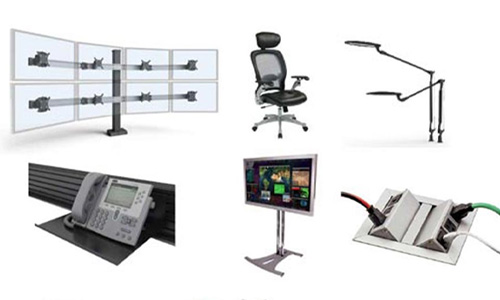
Monitors, keyboards, and input devices should be positioned to minimize reaching, twisting, and awkward postures. - Operator Seating
Adjustable seating with proper lumbar support accommodates different body types and supports healthy posture during extended use. - Display Placement
Displays should be positioned at or near eye level to reduce neck strain. Adjustable monitor arms allow operators to fine-tune viewing angles for comfort and clarity. - Task Analysis
Understanding how operators interact with systems helps reduce cognitive load and ensures the workspace supports actual workflows rather than theoretical ones.
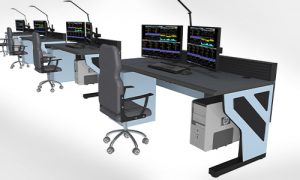
Purpose-built control room consoles play an important role here, as they are designed to support proper monitor placement, equipment integration, and ergonomic adjustability that standard office furniture cannot accommodate.
Human Factors in Control Room Design
Beyond physical ergonomics, human factors address the cognitive and psychological demands placed on control room operators. These considerations help ensure operators can make accurate decisions under pressure and maintain performance during both routine and high-stress situations.
Key human-factor considerations include:
- Information Display Design
Critical data should be presented clearly, consistently, and without unnecessary visual clutter to support rapid comprehension. - User Interface Simplicity
Control systems should be intuitive, minimizing training time and reducing the risk of operator error. - Alert and Alarm Management
Excessive or poorly prioritized alarms lead to alarm fatigue, increasing the risk that critical alerts are missed. Alarm systems should be deliberate, meaningful, and actionable. - Operator Comfort
Environmental comfort—including lighting quality, temperature stability, and seating—supports sustained attention and reduces fatigue. - Workload Management
Control room design should account for fluctuating workloads, ensuring operators have the tools and support needed during peak demand or emergency conditions.
Layout and Spatial Allocation
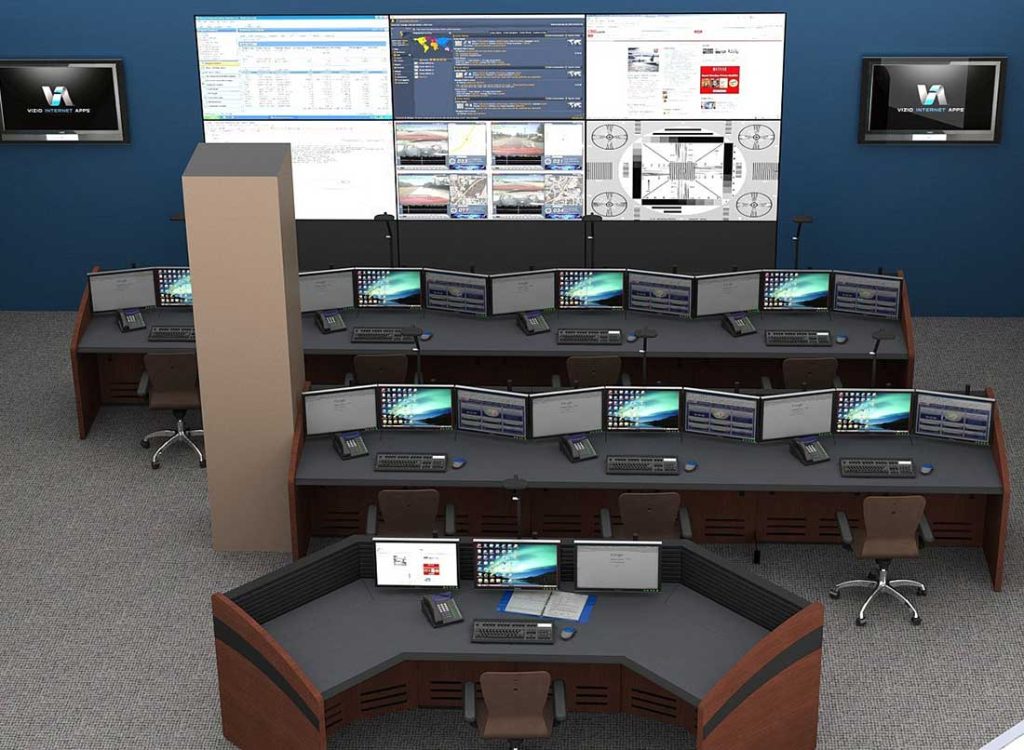
The physical layout of a control room directly affects efficiency, safety, and adaptability. Thoughtful space planning ensures operators can work effectively while allowing the room to evolve as technologies and operational needs change.
Important layout considerations include:
- Zoning
Separate areas based on function, such as monitoring zones, supervisor stations, collaboration areas, and support spaces. - Operator Sightlines
Operators must have unobstructed views of critical displays and shared information sources. - Equipment Placement
Consoles, monitors, and input devices should be positioned for easy access without clutter. - Traffic Flow
The layout should allow personnel to move between stations without disrupting active operators.
Maximizing Efficiency Through Design
Efficient control room environments reduce fatigue and improve response times. Key strategies include:
- Optimal Console Layout
Frequently used equipment should be within easy reach to reduce unnecessary movement and strain. - Integrated Ergonomics
Ergonomic principles should guide both furniture selection and spatial planning. - Effective Cable Management
Organized cabling reduces trip hazards, simplifies maintenance, and improves airflow around equipment. - Future Scalability
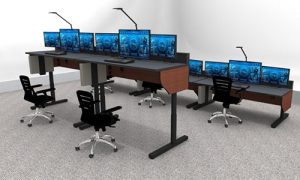
Modular layouts and adaptable console systems allow for growth and technology upgrades without major disruption.
Minimizing Distractions in High-Stress Environments
Control rooms serve operators in high-pressure roles—from emergency dispatch to security monitoring—where focus is essential.
To minimize distractions:
- Noise Control
Acoustic treatments help manage ambient noise and improve concentration. - Task-Oriented Design
The workspace should prioritize operational function over visual distractions. - Controlled Lighting and External Exposure
Lighting should minimize glare on screens, and external views should be managed to prevent interruptions.
Conclusion
Ergonomics and human factors are foundational to effective control room design. When environments are designed around the needs of operators—physically, cognitively, and psychologically—organizations achieve better performance, improved safety, and reduced fatigue. Integrating ergonomic principles, human-centered design, and purpose-built control room infrastructure creates spaces that support both immediate operational demands and long-term workforce sustainability.
For organizations planning new control rooms or evaluating existing environments, investing in ergonomics from the outset ensures that technology, layout, and furniture work together to support mission-critical performance.
Contact Information:
800-346-7521
cwsales@command-watch.com
Helpful Guide: Comprehensive Control Room Furniture Guide
A detailed overview of console specifications, customization options, and layout considerations for 24/7 mission-critical control rooms.