Utility Control Room Console Furniture: Design Priorities for Energy & Grid Operations
Jump to a Section
TL;DR – Quick Summary
- Topic Overview: Energy and utility control rooms require specialized console furniture that supports 24/7 SCADA monitoring, continuous communications, and mission-critical decision-making.
- Key Insights: The best utility control room consoles improve operator sightlines, reduce fatigue, simplify cable management, and support long-term equipment reliability in high-density monitoring environments.
- Who This Is For: Utility operations leaders, facility managers, control room designers, integrators, and teams planning upgrades for power generation, transmission, distribution, or grid operations centers.
- Action Step: Evaluate your current layout, monitor mounting needs, and technology footprint—then plan consoles around operator workflow, maintainability, and scalability rather than short-term furniture cost.
Why Utility Control Rooms Require Specialized Console Furniture
Energy and utility control rooms aren’t built like standard office operations centers. These environments support continuous monitoring, rapid response, coordinated communications, and high-impact decision-making—often with 24/7 staffing and strict uptime expectations.
In many facilities, operators are responsible for monitoring SCADA systems, alarms, telemetry, environmental and equipment status, cybersecurity events, and even public safety communications. The console workstation serves as the primary interface between people, technology, and mission outcomes.
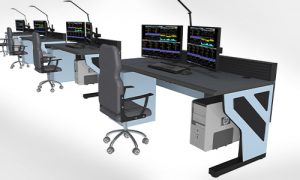
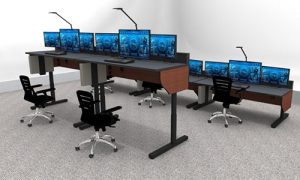
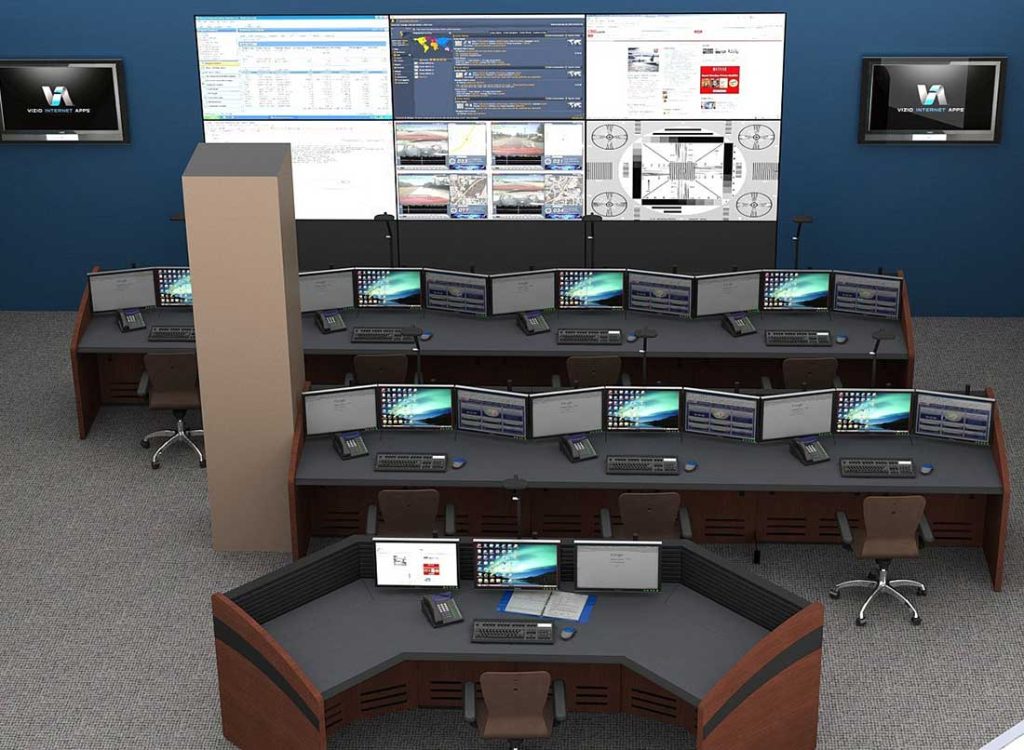
Modern grid and SCADA environments increasingly demand purpose-built energy, utilities, and power control room console furniture that supports continuous monitoring without compromising operator performance.
Key Console Requirements for SCADA and Grid Operations
Utility operations have unique pressures: alarms must be recognized instantly, communications must be clear, and operator fatigue has real consequences. A robust console system meets these requirements through design features that reduce friction during routine monitoring and high-stress events.
1) Sightlines and Multi-Monitor Visibility
Utility operators often monitor multiple data sources at once—SCADA dashboards, alarm panels, mapping, weather feeds, camera views, and system analytics.
Well-designed control room consoles support:
- Clean multi-monitor layouts
- Proper monitor height and viewing angles
- Reduced neck strain and visual fatigue
- Clear sightlines to shared displays or video walls
This is especially important in energy environments where operators may remain at a station for long shifts with minimal downtime.
2) Cable Management That Supports Maintainability
In utility control rooms, cable clutter isn’t just messy—it can become an operational risk. Poor cable routing makes it harder to service equipment, causes accidental disconnections, and delays maintenance.
Utility-ready consoles should include:
- Built-in cable raceways
- Structured routing paths
- Clean access panels for IT teams
- Separation options for power vs. data
In high-density spaces, cable strategy becomes one of the biggest long-term determinants of uptime and maintainability.
3) Equipment Integration and Secure Housing
Many utility environments require workstation integration for:
- PCs and KVM systems
- Radios/telephony
- UPS components
- Power distribution
- Network switches or edge devices
A control room console should support clean equipment placement without forcing teams to resort to improvisation that later becomes expensive to fix.
Operator Ergonomics in Utility Operations Isn’t Optional
One of the most common causes of performance decline in control rooms isn’t software or staffing—it’s fatigue.
Energy operators are frequently responsible for monitoring systems during:
- Load variability events
- Outages and restoration
- Weather-related disruptions
- Grid instability or supply constraints
- Incident escalation procedures
If the workstation environment causes discomfort, operators lose attention over time—even in highly trained teams.
Utility-focused console design should support:
- Proper working height for typing and monitoring
- Ergonomic monitor positioning
- Comfortable workflow spacing
- Reduced repetitive reach movements
- Options for sit/stand configurations (when appropriate)
The best control rooms balance human factors with technology needs so operators can stay alert and effective.
Reliability and Scalability: Designing for the Next 10+ Years
Energy control rooms rarely stay static. Over time, operations evolve:
- Equipment loads increase
- Display needs expand
- Monitoring software changes
- Operator headcount grows
- Security requirements become stricter
A major advantage of professional console furniture is modular scalability. Instead of forcing a full redesign every time your operational footprint changes, a modular system can expand and adapt while maintaining a consistent user experience.
Look for console systems that support:
- Future monitor growth
- Additional workstations
- Upgraded cable routing
- Technology refresh without rebuilding the room
Utility environments benefit most from solutions designed around lifecycle thinking—not short-term project timelines.
Energy-Specific Consideration: Heat, Power, and Efficiency
Energy control rooms generate meaningful heat loads. Between monitors, computers, and networking equipment, thermal challenges can accumulate quickly—especially in dense environments.
Console systems that support airflow and clean equipment integration can reduce operational stress on cooling systems and improve long-term reliability.
If you’re evaluating how workstation layout affects heat management and ongoing operating costs, our guide on energy optimization in modern control room environments explains how furniture design can influence airflow, cooling, and efficiency.
Utility Control Room Layout Tips That Improve Workflow
Beyond the console itself, layout affects performance. A few proven layout principles for utility environments include:
- Supervisor visibility: Ensure leadership or shift supervisors have clear sightlines to key operator positions and shared displays
- Traffic flow: Keep walkways open and reduce “pinch points” behind operator chairs
- Collaboration spacing: Avoid packing stations too tightly, especially where teams need frequent verbal coordination
- Video wall alignment: Ensure operator stations are positioned around primary shared displays, not fighting glare or neck angles
When you combine strong layout planning with purpose-built consoles, operators spend less time fighting the room and more time running the operation.
Conclusion: Utility Console Furniture Should Support Operations, Not Complicate Them
Energy, utilities, and power control rooms operate under high uptime expectations, complex workflows, and shift-based staffing models that push workstations harder than conventional office environments.
The right console furniture supports:
- Operator awareness and comfort
- Reliable technology integration
- Clean cable management
- Scalable layouts for growth
- Long-term maintainability
If your team is planning a new utility control room or upgrading an existing space, investing in purpose-built control room consoles will pay off in smoother operations today and fewer infrastructure constraints tomorrow.
Contact Command Watch
800-346-7521
cwsales@command-watch.com
Helpful Guide:
Complete Buying Guide for Operator Consoles
Ultimate Guide to Modern Control Room Consoles — a deeper breakdown of console furniture specifications, technology integration, and layout planning for 24/7 operations.